
C & C++ 분류
Using C++Builder to list all available VCL styles in a ComboBox and apply a selected style using the ComboBoxChange event
컨텐츠 정보
- 14,706 조회
- 0 추천
- 목록
본문
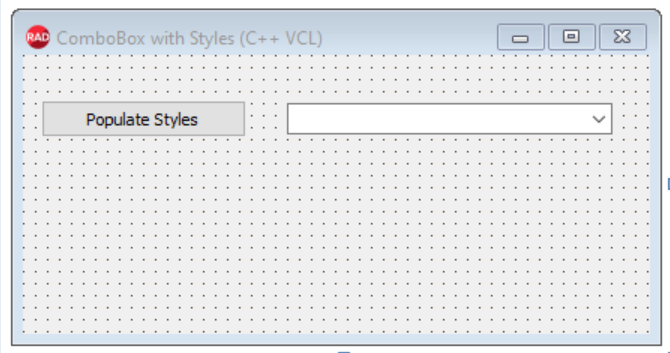
The C++ Application User Interface
For the application user interface I have a TButton (has code to populate the ComboBox with selected application styles) and a TComboBox (to display and allow selection of a style).
C++ code
//---------------------------------------------------------------------------
#include <vcl.h>
#pragma hdrstop
#include "Unit1.h"
#include <Vcl.Themes.hpp>
//---------------------------------------------------------------------------
#pragma package(smart_init)
#pragma resource "*.dfm"
TForm1 *Form1;
//---------------------------------------------------------------------------
__fastcall TForm1::TForm1(TComponent* Owner)
: TForm(Owner)
{
}
//---------------------------------------------------------------------------
void __fastcall TForm1::Button1Click(TObject *Sender)
{
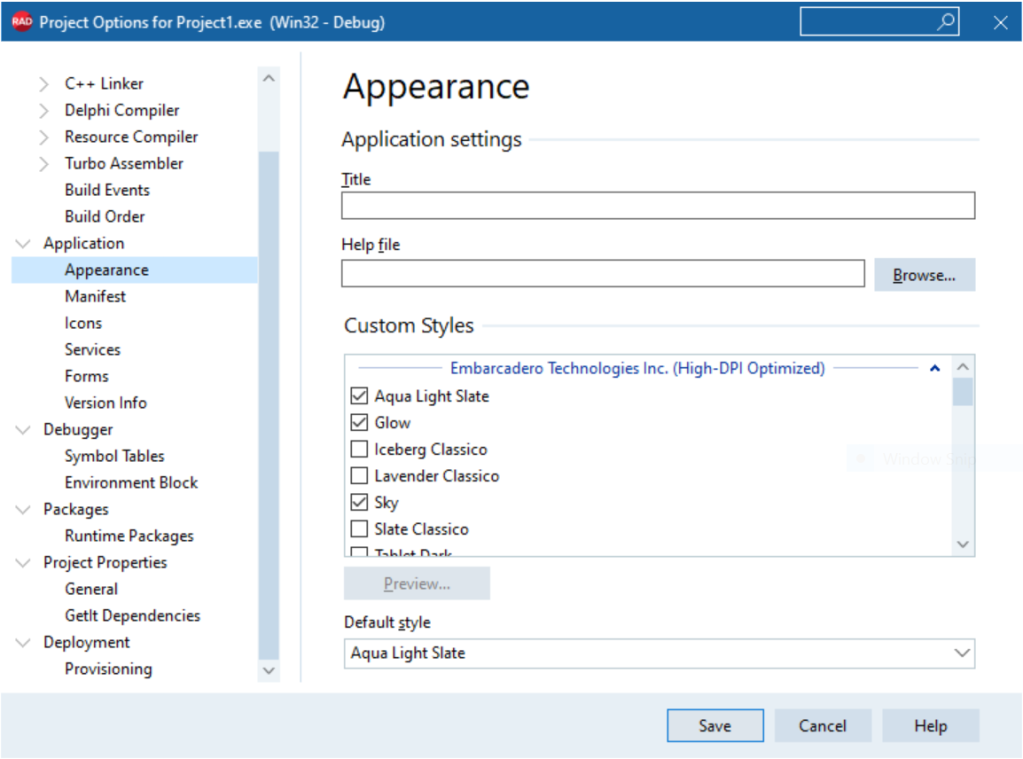
// populate the ComboBox with VCL styles that are selected
// in Project | Options | Application | Appearance
ComboBox1->Items->BeginUpdate();
try
{
ComboBox1->Items->Clear();
DynamicArray<String> styleNames = Vcl::Themes::TStyleManager::StyleNames;
for(int i = 0; i < styleNames.Length; ++i)
{
String styleName = styleNames[i];
ComboBox1->Items->Add(styleName);
}
}
__finally
{
ComboBox1->Items->EndUpdate();
}
}
//---------------------------------------------------------------------------
void __fastcall TForm1::ComboBox1Change(TObject *Sender)
{
// set the style for the selected combobox item
Vcl::Themes::TStyleManager::TrySetStyle(ComboBox1->Items->Strings[ComboBox1->ItemIndex],false);
}
//---------------------------------------------------------------------------
The Application in Action

TComboBox populated with VCL styles selected
 Application Style Changed by TComboBox selection
 References
Project Options Application Appearance
VCL Styles Support for High-DPI Graphics
C++Builder Product Information
C Builder Product Page – Native Apps that Perform. Build Windows C++ Apps 10x Faster with Less Code
C Builder Product Editions – C++Builder is available in four editions – Professional, Enterprise, Architect and Community (free). C++Builder is also available as part of the RAD Studio development suite.
관련자료
-
링크
댓글 0
등록된 댓글이 없습니다.